


MarketWatch
4.210.91K Reviews
App Specs
- Version
- 7.9.29
- Updated On
- License
- Free
- Downloads
- 1,000,000+
- Developer
- Dow Jones & Company, Inc.
- Categories
- Finance
- Platform
- Android
Screenshots
 Analysis by AppCompare
I tend to check financial news in short bursts rather than sit down for a full market review, so I pay attention to how an app behaves when I have only a minute and a connection that may not be ideal. MarketWatch is most useful to me as a quick way to follow market coverage and keep an eye on selected stocks. It is a finance app from Dow Jones & Company, Inc., and its focus makes sense for readers who want news and market context alongside basic tracking tools.
When the connection is part of the experience
Market news is only helpful when it is current, so a reliable internet connection matters whenever I’m checking fresh coverage, market information, or alerts. On a commute or between appointments, I treat the app as a live reference rather than a place to depend on for information that must remain available without a network. If a page takes longer to load, I can still decide to return later, but I would not plan a time-sensitive investment decision around a screen that has not refreshed.
That distinction is worth keeping in mind: the app can help me follow developments, but it is not a substitute for checking whether information is current before acting on it. I find it more useful for staying oriented and spotting topics I want to examine than for making a trade in a hurry. A headline can explain why a market is moving, but it does not tell me whether a move fits my finances or risk tolerance.
Getting value from short mobile sessions
My most practical routine is to open the app when I have a quiet moment, check the stories relevant to my interests, and review a watchlist instead of scanning every market headline. That keeps a quick visit focused. If I’m waiting for an appointment, for example, I can see whether a company I follow has become part of a larger business or economic story, then save deeper research for when I have time to read carefully.
The key is to decide what deserves attention before notifications and headlines compete for it. I would keep a watchlist to companies or market areas I genuinely follow, rather than treating it as a catalogue of every ticker that catches my eye. A smaller list is easier to interpret during a short session, and it makes changes in a familiar set of names more meaningful than a stream of disconnected price checks.
Recovery when a session does not go smoothly
Even a well-designed app depends on the connection and the device it is running on. If a story or market view seems slow or incomplete, my first move is to check the connection and try again later, rather than assume the information is final. For anything that could affect a financial decision, I would verify the latest details before relying on a view that may have loaded during a weak signal.
Notifications also need a little care. They can be useful when a major story breaks, but frequent prompts can turn a helpful news habit into constant checking. I’d keep only the alerts that support a clear purpose and read the full story when I have enough time to understand its context. A short alert is a prompt to look closer, not a complete explanation.
Worth Reading Before You Choose

EA SPORTS FC Mobile 26 Is a Bigger Football Game, but It Takes Time

Flipboard Shows What News Apps Must Do Beyond the Feed

Switching to Android Auto Means Rethinking Your Driving Routine

Google Calendar Makes a Crowded Week Easier to Manage

Ludo King Makes the Most of the Minutes Between Plans

Baby Panda World Brings Quick Play to Modern Phones, but Its Game Library Feels Busy
What to expect from data use
Because the app presents current news and market information, using it regularly means connecting to retrieve fresh material. I would avoid repeatedly refreshing screens just to watch small changes, especially when I am on a limited mobile connection. A more deliberate check—reviewing a watchlist and then reading one or two relevant stories—feels more useful and less wasteful than leaving the app open throughout the day.
MarketWatch is free to download, with in-app purchases listed at $19.99 to $22.99 per item. Its average rating is 4.2 from around 50,000 ratings, and it has over a million installs. It is rated Everyone 10+, was released on August 13, 2013, and the current version is 7.9.23, with Android 8.0 as the minimum operating system. Those details make it easy to judge whether it fits your device and expectations, but the important question is whether you want a news-led companion or a tool built primarily for transactions.
Using MarketWatch as a finance companion
First things first, downloading MarketWatch was a breeze. Available on both Android and iOS, it’s super convenient to grab from your app store. Once installed, the user interface greets you with a clean and intuitive design. No need to fumble around trying to figure out where things are. The app is pretty straightforward, which is a huge plus in my book.
After signing up, you can easily customize your feed to get updates on the stocks and financial news that matter most to you. I found it really handy to tailor the feed according to my interests, making it feel like my personal financial assistant right in my pocket. Plus, the app allows you to sync with your brokerage account, which is a feature I absolutely love. It makes keeping track of everything so much easier.
Diving into the Features
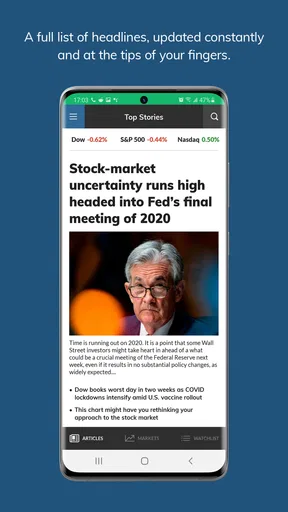
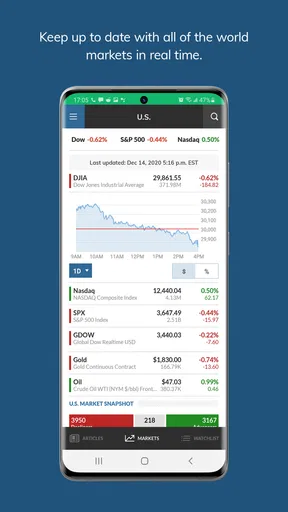
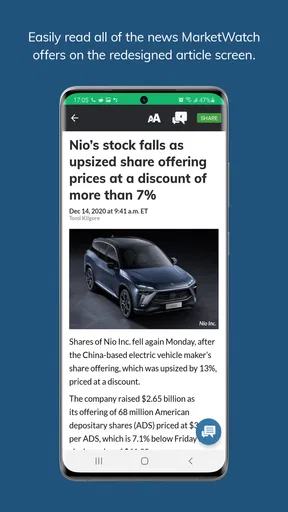
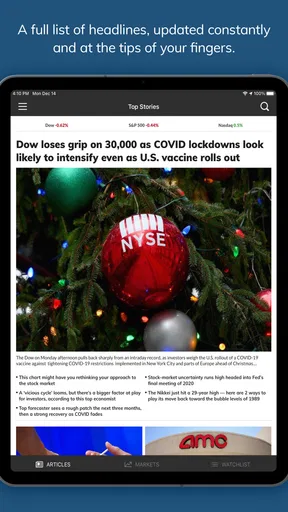
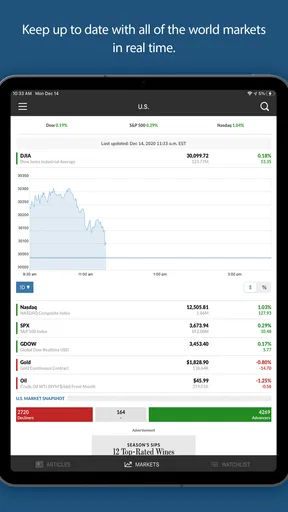
What makes MarketWatch stand out are its robust features. From real-time market data to breaking news alerts, it’s got everything you need to stay ahead of the game. The news section is particularly impressive, offering articles from a range of topics including economy, politics, and technology. I often find myself getting lost in the diverse range of articles, which are always well-written and insightful.
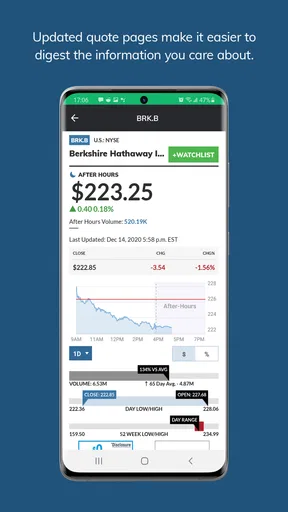
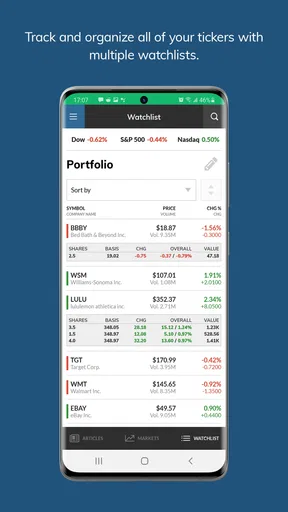
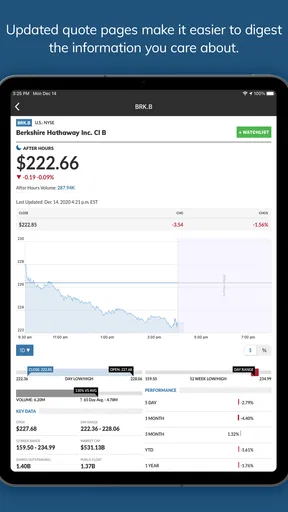
The app also offers comprehensive stock tracking. You can create a watchlist for your favorite stocks and get detailed information about each one. I love how it provides an in-depth look at market trends, complete with charts and graphs that are easy to understand even if you’re not a financial expert. And let’s not forget the portfolio tracking feature, which keeps everything organized and accessible.
User Experience and Performance
Now, let’s talk about how the app performs. I’ve been using MarketWatch for a few weeks now, and I’m happy to report that it’s been smooth sailing. The app loads quickly, and I haven’t experienced any crashes or glitches. It’s clear that the developers have put a lot of thought into ensuring a seamless user experience.
The push notifications are another feature I appreciate. They’re timely and relevant, providing updates on significant market movements or breaking news. It’s like having a financial news ticker running in the background, keeping you informed without being intrusive.
Is MarketWatch Worth It?
In my honest opinion, MarketWatch is a fantastic app for anyone looking to stay in the loop with the financial world. Whether you’re a seasoned investor or just someone who likes to keep an eye on market trends, this app offers something for everyone. Its user-friendly interface, coupled with a wealth of information, makes it a valuable tool in today’s fast-paced financial landscape.
One thing to note, though, is that while the app is free to download and use, there are premium features available for a subscription fee. These include ad-free browsing and additional insights, which might be worth considering if you find yourself using the app frequently.
Overall, I’d say MarketWatch is absolutely worth checking out. It’s packed with features that make staying informed easy and accessible. So, if you’re on the fence, I’d recommend giving it a try. Who knows, it might just become your go-to app for all things finance!
Who will get the most from it?
I’d recommend it most to someone who wants a steady stream of financial reporting and a convenient way to follow a handful of companies. A newer investor can use the articles to learn what is moving markets, while a more experienced reader may appreciate having headlines, watchlists, and charts together. The benefit is not that the app makes decisions for you; it helps you notice what is worth investigating next.
It is less suitable if your main need is placing trades, managing complex holdings, or doing detailed portfolio analysis. A brokerage app is usually the more direct choice for orders and account-specific tasks, while dedicated charting tools can be better for technical analysis. I see this app as a complement to those tools, not a replacement for them. If you only want a simple quote for one stock, a quick search may be faster than opening a full news app.
A sensible way to use headlines and watchlists
One useful habit is to separate a company’s price movement from the news explaining it. I would first look at the watchlist or chart, then open the related story and check what the article actually says before drawing a conclusion. This avoids treating a striking headline as proof that a stock is a good buy or sell. Market coverage is context, not personal investment advice, and a headline may describe a market-wide trend rather than a reason specific to one company.
For a realistic everyday example, imagine checking the app over breakfast before a busy workday. I’d scan the main stories, see whether any item relates to a company I follow, and make a note to read the full piece later if it could affect my plans. I wouldn’t let a notification push me into changing an investment while rushing out the door. That small pause is one of the app’s practical strengths: it can surface a subject for later thought without requiring a long research session on the spot.
Personalization is most useful when it reduces noise rather than simply adding more updates. I’d begin with a few relevant topics and companies, then adjust the feed after noticing what I actually read. If every alert feels urgent, the setup is working against you. A restrained selection makes the app easier to check consistently and helps preserve attention for the stories that genuinely matter to your interests.
Where I would draw the line
MarketWatch’s blend of reporting and market tracking is convenient, but it can encourage frequent checking if you let every price fluctuation or breaking headline interrupt your day. I’d turn the experience into a planned routine instead: one brief check when useful, with alerts reserved for developments I truly want to notice. This is especially important for long-term investors, who can be distracted by short-term noise even when their strategy has not changed.
The free download is a reasonable way to see whether the app’s mix of coverage and tracking suits you. Since in-app purchases are available, I would decide whether any paid option solves a real annoyance before spending money; an upgrade is worthwhile only if its extra value matches how often you use it. Readers who primarily want a clean, transaction-focused interface may prefer their broker, while those who want broad business coverage may find this more helpful as a reading companion.
My overall view is that this is a useful choice when you want financial news close to the market information you follow, and you are comfortable using it as one part of a wider research routine. It works best with a dependable connection and a focused watchlist, and it is less compelling when you need an offline reference, a trading-first workflow, or deep analytical tools. If you want to stay informed without making every market movement the center of your day, I think it is worth trying and judging by how well its coverage fits your own habits.
Pros
- Comprehensive financial news coverage.
- User-friendly interface and navigation.
- Real-time market updates and alerts.
- Customizable watchlists for tracking stocks.
- In-depth analysis and expert opinions.
Cons
- Requires internet for full functionality.
- Some features behind a paywall.
- Occasional ad interruptions.
- Limited offline content access.
- Can be overwhelming for beginners.
FAQs for MarketWatch
What features does the MarketWatch app offer?
The MarketWatch app provides users with real-time market data, breaking news, and analysis on financial markets. It includes a personalized watchlist, stock charts, and access to comprehensive financial news articles and videos. Users can also receive alerts on stock price movements and market trends, making it a comprehensive tool for investors.
Is the MarketWatch app free to use, or are there any subscription costs?
The MarketWatch app is free to download and offers a variety of features at no cost. However, there are premium options available that provide additional features such as in-depth analysis, exclusive content, and an ad-free experience. These features may require a subscription, so users should review the offerings before deciding.
How user-friendly is the MarketWatch app for beginners in investing?
The MarketWatch app is designed to be user-friendly, even for beginners. It offers an intuitive interface, easy navigation, and helpful tutorials on using the app effectively. The insights and educational content provided can help newcomers understand market dynamics and investment strategies, making it a valuable resource for those new to investing.
Can I customize notifications and alerts in the MarketWatch app?
Yes, the MarketWatch app allows users to customize notifications and alerts according to their preferences. Users can set up alerts for specific stocks, market indices, or financial news. These custom alerts help users stay informed about market movements and trends that are important to them, enhancing their overall experience.
Is the MarketWatch app available on both Android and iOS devices?
The MarketWatch app is available for both Android and iOS devices, ensuring a wide reach for users across different platforms. It can be downloaded from the Google Play Store for Android and the App Store for iOS. This cross-platform availability ensures that users can access market news and data wherever they are.


